
DAO Lead
Lanes and roles
Updated 24 Nov 2026
This guide helps the DAO Lead add lanes with their pair of owners and give or remove roles in the DAO.
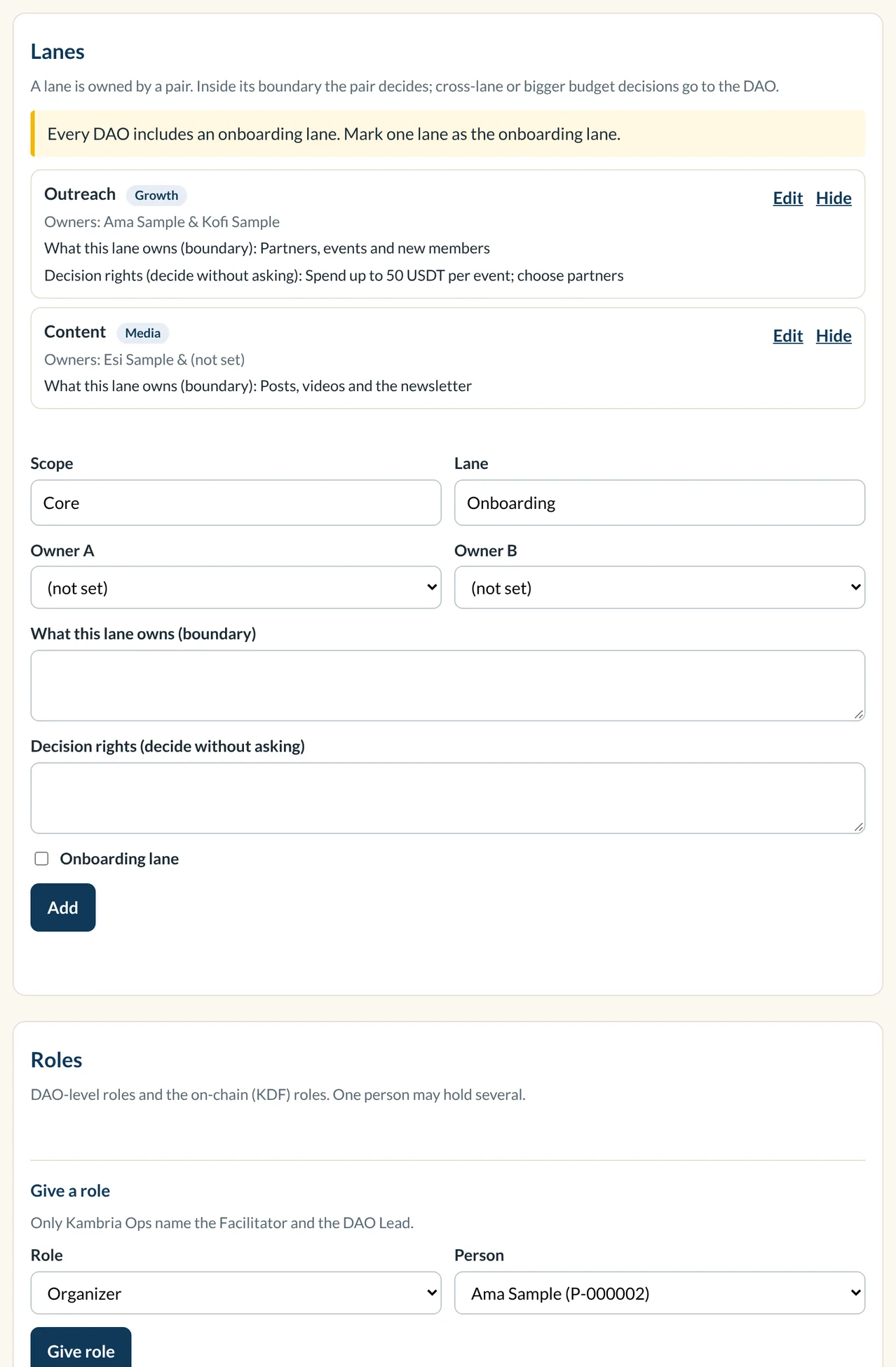
Steps
- Open your DAO and the Lanes & roles tab (or ☰ → DAO Lead → Lanes & roles).
- To add a lane, fill in Lane (its name) and, if useful, Scope.
- Choose Owner A and Owner B, the pair who own the lane.
- Write What this lane owns (boundary) and Decision rights (decide without asking).
- Tick Onboarding lane if this is the DAO's onboarding lane. Tap Add.
- To change a lane, tap Edit, change it and tap Save changes. To remove it from view, tap Hide.
- To give a role, go to Give a role under Roles. Choose the Role and the Person, then tap Give role. The page says Role given.
- To end a role, tap Remove next to the person's name and confirm.
Good to know
- Every DAO has one onboarding lane. Until one lane is marked, the page says Every DAO includes an onboarding lane. Mark one lane as the onboarding lane.
- A lane's owners can change only its boundary and decision rights. You can change everything about a lane.
- You can give and remove Bookkeeper, Organizer, Order Handler and Operator. Only Kambria Ops name the Facilitator and the DAO Lead.
- You can give a role only to active members of the DAO.
- One person can hold several roles.
- Removing a role does not erase it. The change history keeps who held it.
If something goes wrong
- Lane owners must be active members of the DAO (see Roster).
- The two owners must be different people.
- Another lane already has this name.
- This person already has this role.
- You can’t change this. You tried to change something only Kambria Ops can change.