
Lane owners
Write the lane weekly report
Updated 24 Nov 2026
This guide helps lane owners send their lane's report for the week, and change it if needed.
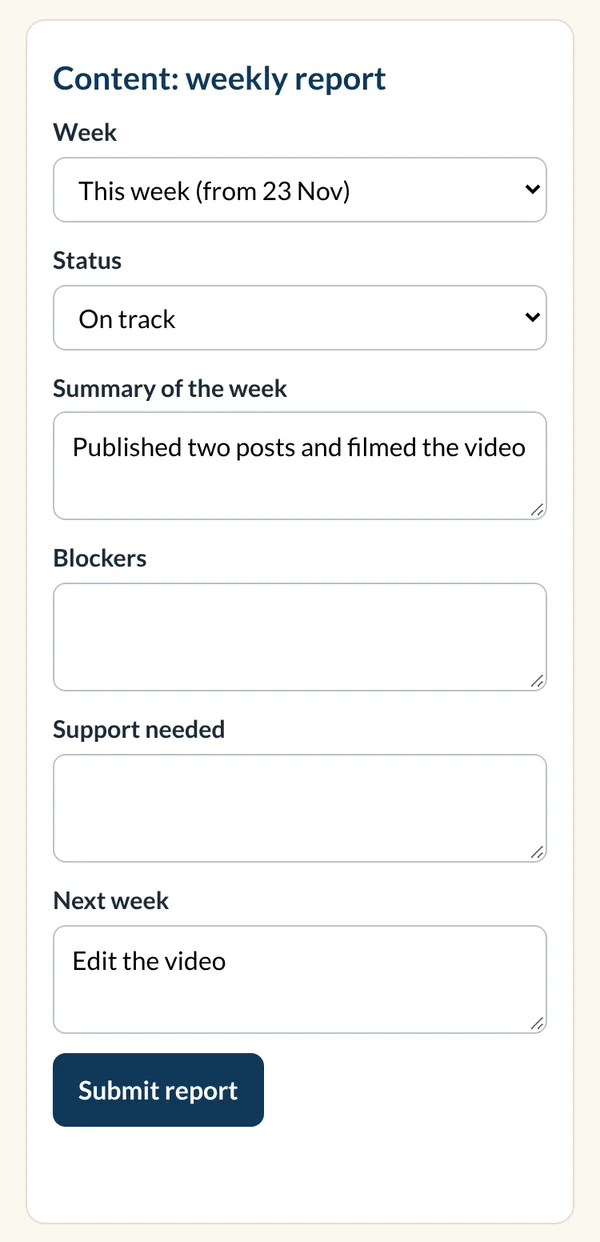
Steps
- Open your DAO and the Lane weekly tab (or ☰ → Lane owners → Lane weekly).
- Find the card with your lane's name and weekly report.
- In Week, keep this week, or choose last week if you are sending it late.
- Choose the Status: On track, At risk or Blocked.
- Write the Summary of the week: what the lane did.
- If there are any, write the Blockers, the Support needed and the plan for Next week.
- Tap Submit report. The page says Saved. and your lane shows in Lanes this week with its status.
- To change the report, open the page again. The form shows your report, with Your lane’s report for this week is in. You can change it until the Wednesday after the week. Change it and tap Save changes.
Good to know
- Each lane sends one report per week. Either owner can write it or change it.
- A week starts on Monday. You can report for this week, or for last week (it is then marked late).
- You can change a report during its week and until the Wednesday after it. After that it is kept as it is.
- Everyone in the DAO reads the reports: this week's overview, All reports and Days since last activity.
- Read your report next to Days since last activity. A quiet member plus a named blocker is something to act on.
- Lanes that have not reported this week show No report yet.
- Reports are never deleted.
If something goes wrong
- Write a short summary of the week. The summary can't be empty.
- This lane already has a report for that week. Refresh the page to edit it. The other owner sent it first. Refresh, then change it if needed.
- A report can be changed until the Wednesday after its week; that is over.
- Report for this week or last week. Older weeks can't be sent any more.
- You can’t change this. You are not an owner of this lane.