
Kambria Ops
Shared catalogs
Updated 24 Nov 2026
This guide helps Kambria Ops keep the lists that every DAO shares: the KAT Credit Rules, Karma levels and Tiers, and the cohort events.
Steps
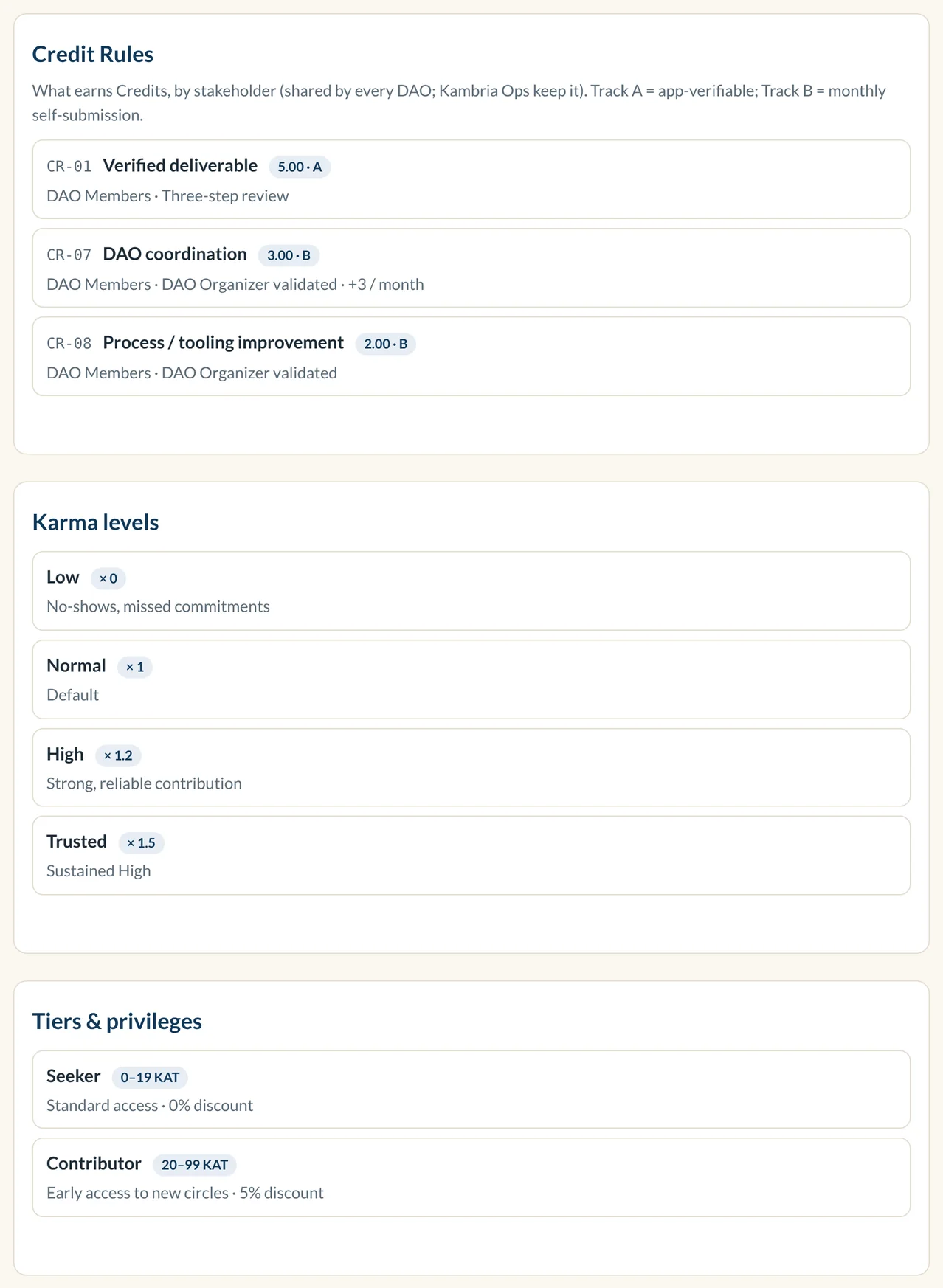
Add or change a Credit Rule
- Open any DAO and its KAT tab. Scroll to the bottom of the page.
- Go to Credit Rules.
- To add a rule, type the Rule ID (two capital letters, a dash and 2 or 3 numbers, for example CR-13), the Stakeholder and the Trigger event.
- Type the Verification requirement, the Credits and choose the Track (A or B). Add Notes if needed.
- Tap Add.
- To change a rule, tap Edit under it, change the fields and tap Save changes. To take a rule out of use, tap Hide and confirm.
Change a Karma level or a Tier
- On the same page, go to Karma levels or Tiers & privileges.
- Tap Edit under the level or tier.
- For a Karma level, change the Multiplier, Range or When it applies. For a tier, change KAT from, KAT to, Access privilege or Economic privilege.
- Tap Save changes.
Good to know
- These lists are kept once for every DAO. A change shows in every DAO at once. Everyone who is signed in can read them.
- Only Kambria Ops change them.
- A rule's Rule ID can't be changed after you add it.
- Karma levels and tiers can be changed, but not added or hidden.
- Credits already logged keep the credits of the rule at the time they were logged. A hidden rule can't be chosen for new Credits.
- A settled month is kept as it was settled. Changes to Karma levels or tiers don't change it.
- The Hub lists all shared catalogs under Shared catalogs:
- Cohort event calendar: on DAO settings → Event catalog. See "Scoring rules and the shared event calendar".
- KAT Credit Rules, Karma levels, Tiers: on the KAT tab, as above.
- Proposal QA checklist (28 items): it can't be changed in the app. Ask the app's technical lead.
- Cashbook categories and lists: the same in every Cashbook, from the Workbook. They can't be changed in the app.
If something goes wrong
- A Rule ID is two capital letters, a dash and 2–3 digits, for example CO-01. The Rule ID is not in the form CR-13.
- This Rule ID is already used. Choose another Rule ID.
- Credits are 0 or more. The Credits are below 0.
- A multiplier is between 0 and 2. A Karma multiplier is below 0 or above 2.
- “KAT to” can’t be below “KAT from”. A tier's KAT to is below its KAT from.
- Rule ID: Required. (or another field name) Fill in every field that is needed.
- Couldn’t save. Check the fields and try again. Check your connection and try again.
- You can’t change this. You are not signed in as Kambria Ops.
- There is no Edit button: only Kambria Ops see it.