
Facilitator
Audit KAT before settling
Updated 24 Nov 2026
This guide helps the Facilitator fill in the 12-check KAT audit for a month, so the Organizer can settle it.
Steps
- Open your DAO and the KAT tab (or ☰ → Facilitator → KAT).
- Choose the Period (the month).
- Read the Credits summary, the Credits Log, the Karma Register and the settlement table for that month. Until it is settled, the settlement is a draft that follows every change.
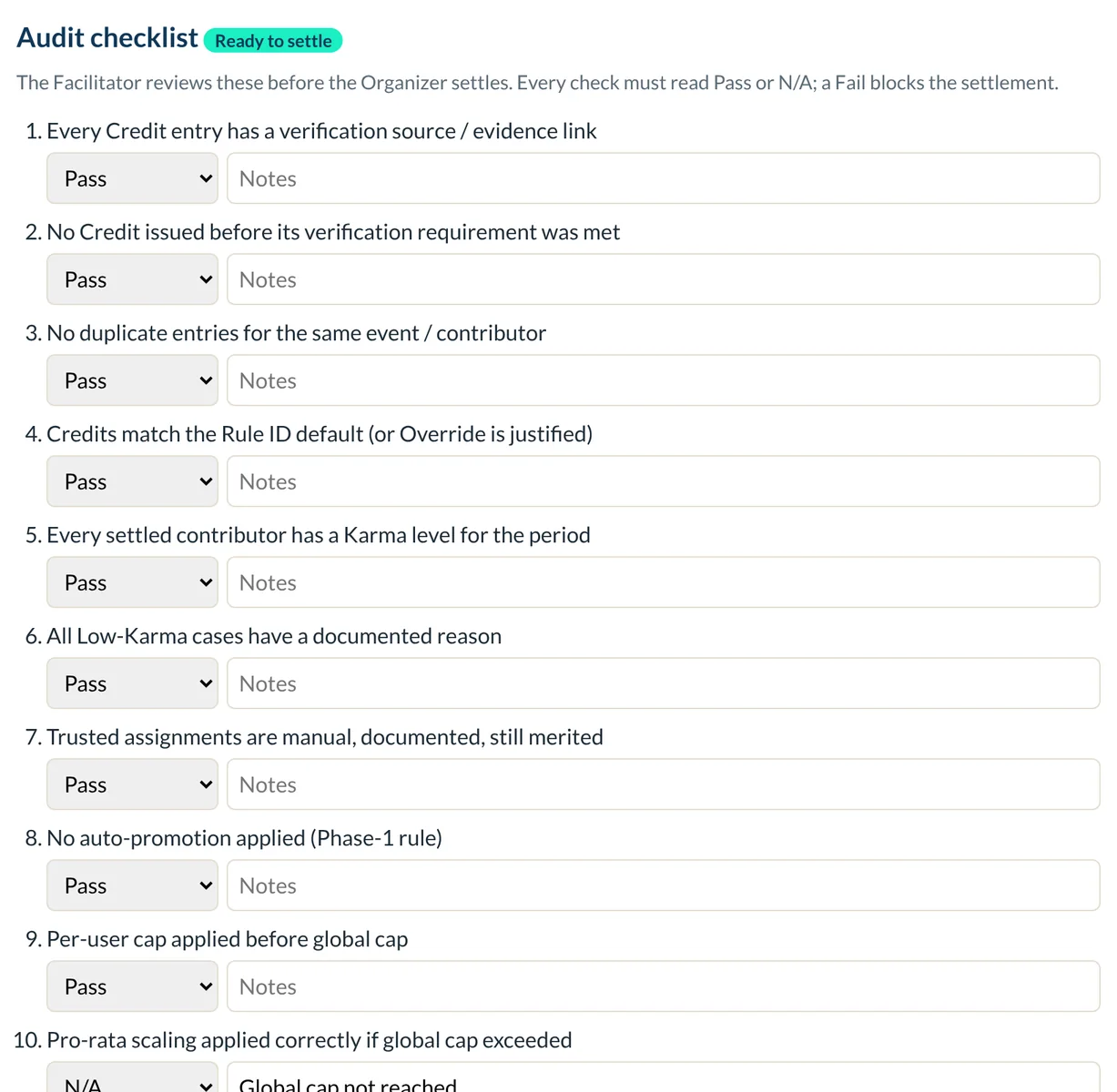
- Go to Audit checklist. For each of the 12 checks, choose Pass, Fail or N/A, and add Notes where useful.
- Tap Save checklist. The page says Saved.
- Look at the status tag next to Audit checklist:
- Ready to settle: all 12 checks read Pass or N/A.
- Blocked: at least one check reads Fail.
- Checklist incomplete: some checks are still Not checked.
- Log any problem in the Exception log: choose the Date and the Type (Correction, Violation, Dispute or Other), the Contributor (optional), type the Description and the Action / impact, then tap Log exception.
- Tell the Organizer when the checklist reads Ready to settle. The Organizer then settles the month.
Good to know
The 12 checks:
- Every Credit entry has a verification source / evidence link
- No Credit issued before its verification requirement was met
- No duplicate entries for the same event / contributor
- Credits match the Rule ID default (or Override is justified)
- Every settled contributor has a Karma level for the period
- All Low-Karma cases have a documented reason
- Trusted assignments are manual, documented, still merited
- No auto-promotion applied (Phase-1 rule)
- Per-user cap applied before global cap
- Pro-rata scaling applied correctly if global cap exceeded
- No contributor absorbs an implausible share of the budget
- Inactivity handled per config
More about the audit:
- Only the Facilitator fills in the checklist. Only the Organizer settles.
- A Fail blocks the settlement. When the problem is fixed, change the check to Pass and save again.
- Once the month is settled, its result is kept as it is. Its Credits, Karma and checklist can't change any more.
- Months are settled in order. An earlier month with Verified Credits must be settled first.
- The exception log is never changed or deleted. The Organizer and the Facilitator can add to it.
- As Facilitator you see every contributor's Credits, Karma and KAT, with their Days since activity.
If something goes wrong
- This period is settled, so it does not change any more.
- All 12 checks must read Pass or N/A first. The Organizer sees this when the checklist is incomplete.
- A check of the audit failed: the settlement is blocked.
- Settle the earlier periods first.
- Describe the exception. The Description of an exception is empty.
- You can’t change this. Only this DAO's Facilitator fills in the checklist.
- Couldn’t save. Check the fields and try again.